







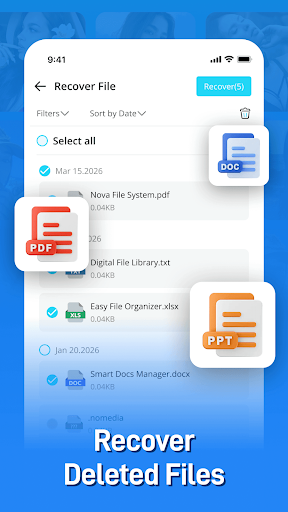

PhotoRecovery Plus is an app designed to help users recover accidentally deleted photos, videos, and other files from their device. It focuses on providing a direct method to scan for and restore lost data, aiming to bring back files that might otherwise be permanently gone. The app performs all scanning and recovery processes locally on your device, ensuring that no files are uploaded to external servers and your data remains private.
Core Recovery Functionality
The primary function of PhotoRecovery Plus is to restore lost images and videos directly from your device’s internal storage or an inserted SD card. Beyond media files, the app also supports the recovery of various document types. It employs both a Quick Scan and a Deep Scan using advanced scanning technology to thoroughly search for recoverable files. Once the scan is complete, users can preview the deleted files found before proceeding with the restoration process.
Workflow for Data Recovery
Using the app follows a straightforward process. First, you open the app on your device. Next, you initiate a scan, which will search your storage for deleted items. After the scan finishes, the app presents a preview of the deleted files it has identified. From this preview, you can select the files you wish to recover and then tap to restore them to your device.
Practical Limitations and Considerations
It is important to understand the capabilities and limitations of PhotoRecovery Plus. The app can only scan and recover files that match specific path patterns within your device storage. Furthermore, if a device has undergone a factory reset, previously deleted files cannot be recovered, as the data would have been permanently erased. The success rate of recovery can vary, depending on factors such as the specific device model, the type of storage used, and the current condition of the file system. Some files may not be recoverable due to these variables. The app emphasizes that while it strives to offer efficient solutions, no technology can guarantee 100% recovery of all lost data.







Write a review